
Description
In SPORIFY, the user can upload Substances data directly to the system using CSV or Excel files.
Procedure
-
Login to SPORIFY.
-
Select Substances.
-
Select Target Substances.
-
Click the Upload button.
-
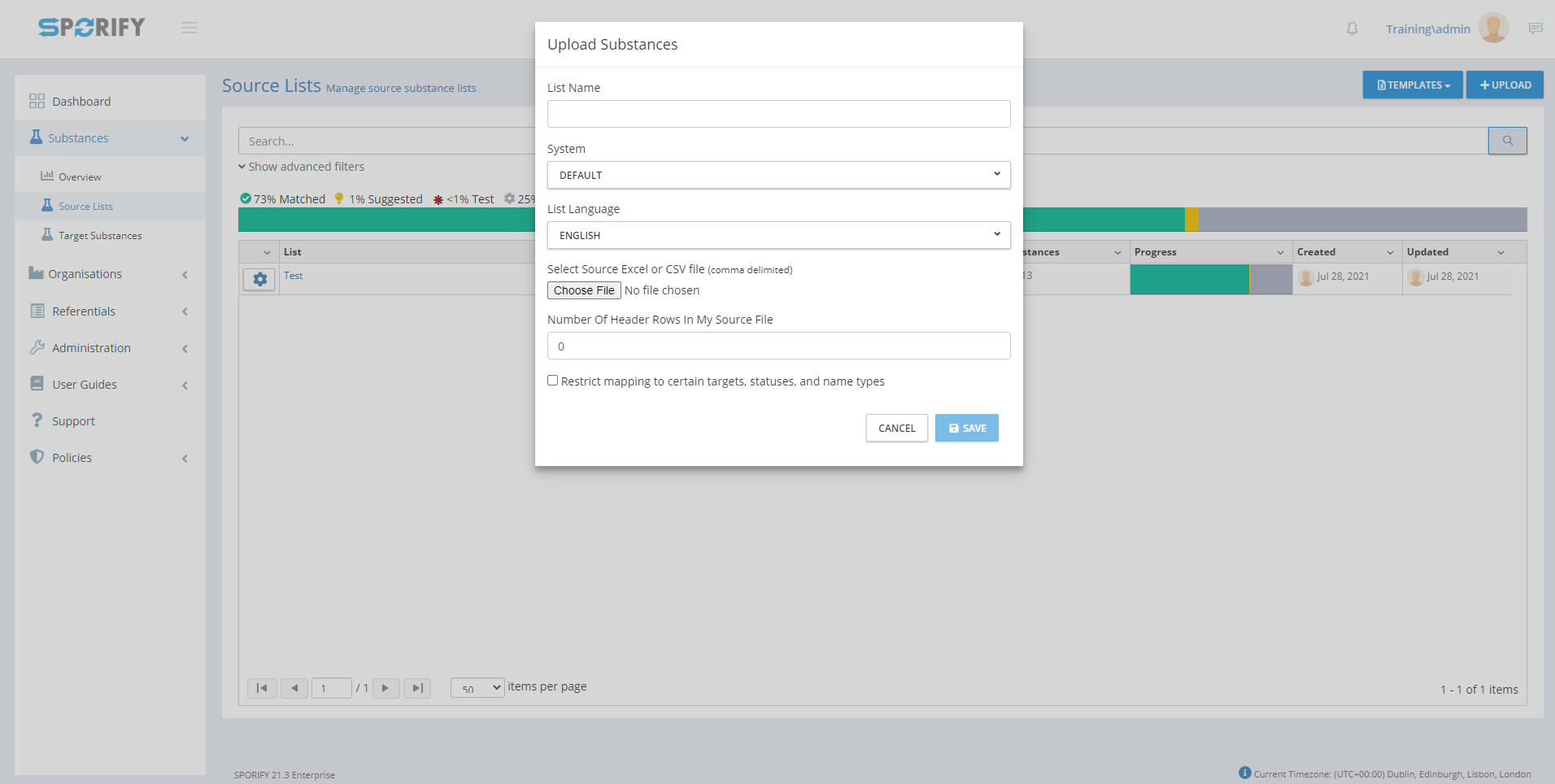
Fill in the following fields:
-
List Name
-
Insert list name into the provided textbox.
-
-
System
-
Use the drop-down menu to select a system.
-
-
List Language
-
Use the drop-down menu to select a list language.
-
-
Select Source Excel or CSV file (comma delimited)
-
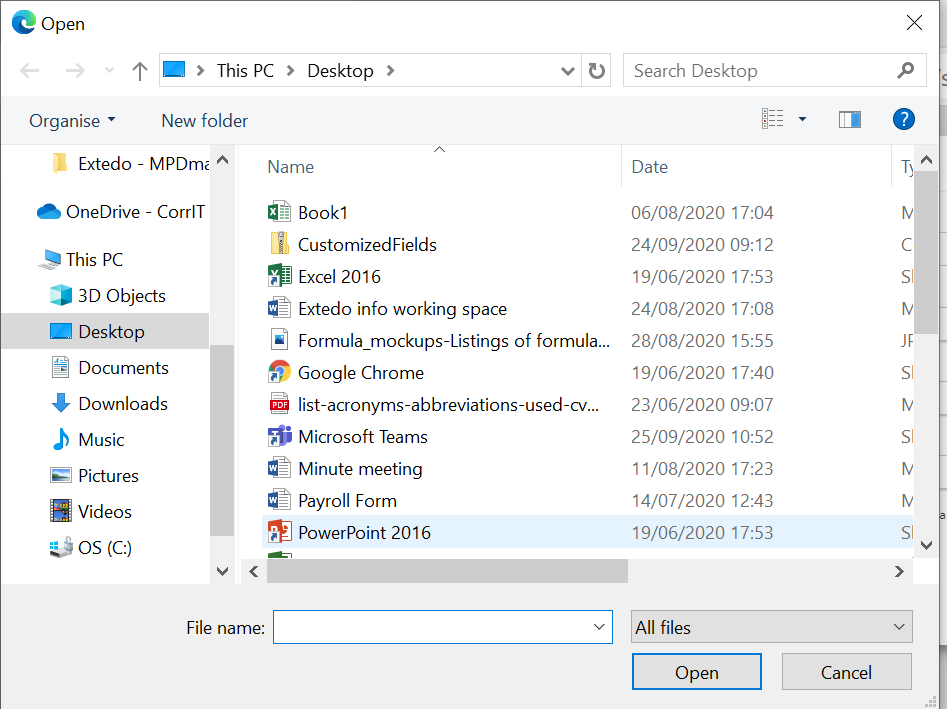
Click the Choose File button.
-
Select a file.
-
Click Open.
-
-
Number Of Header Rows In My Source File
-
Type a number directly into the field or use the provided arrows to set the number of header rows.
-
-
Restrict mapping to certain targets, statuses, and name types
-
Check or uncheck the checkbox
-
-
-
Click Save, else Cancel.
Acceptance Criteria
To succeed, the user must be able to upload source data to SPORIFY.
-
Verify that both CSV and Excel files can be uploaded.
Related / Alternative Procedure
N/A
GUI Specification
Purpose of these GUI elements.
The purpose of these GUI elements is to enable the user to upload source data directly to SPORIFY.
Mockups and Screenshots
GUI Elements
|
Mockup of GUI Element |
Title |
Default |
Enabled |
Type |
Data |
Description |
|---|---|---|---|---|---|---|

|
List name |
Empty |
Always |
Textbox |
String |
Input a list nam |

|
System |
DEFAULT |
Always |
Drop-down menu |
String |
Select a system |

|
List Language |
ENGLISH |
Always |
Drop-down menu |
String |
Select a list language |

|
Number Of Header Rows In My Source File |
0 |
Always |
Numerical input field |
Numerical |
Select a number of header rows |

|
Restrict mapping to certain targets, statuses, and name types |
False |
Always |
Checkbox |
Boolean |
Turn mapping restrictions on/off |
Available Actions And Commands
|
Mockup of GUI Element |
Title |
Shortcut |
Enabled |
Type |
Role/Permission |
Action |
Tooltip |
Audit Trail |
|---|---|---|---|---|---|---|---|---|
|
Choose File |
N/A |
Always |
Button |
Referentials - Source Lists |
Opens device files |
N/A |
No |

|
Upload |
N/A |
Always |
Button |
Referentials - Source Lists |
Opens Upload List box |
N/A |
No |

|
Save |
N/A |
When upload list fields are filled in |
Button |
Referentials - Source Lists |
Saves changes |
N/A |
Yes |
|
Cancel |
N/A |
Always |
Button |
Referentials - Source Lists |
Cancels changes |
N/A |
No |
Related Documentation and Sources
-
N/A